Back to Discussions
Bug Report

The screen got wider

まれん2
Translated to English·

This is something that has been happening for quite a while now, but I haven't said anything until now.
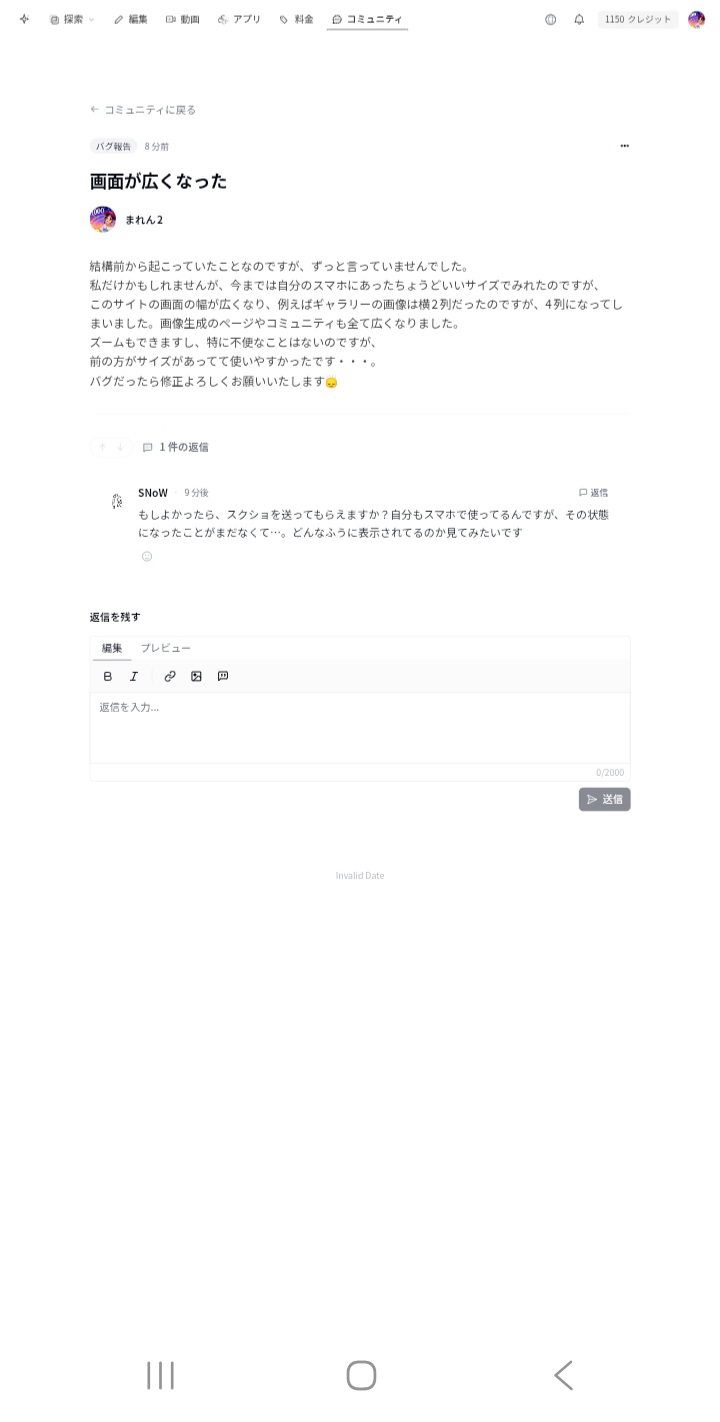
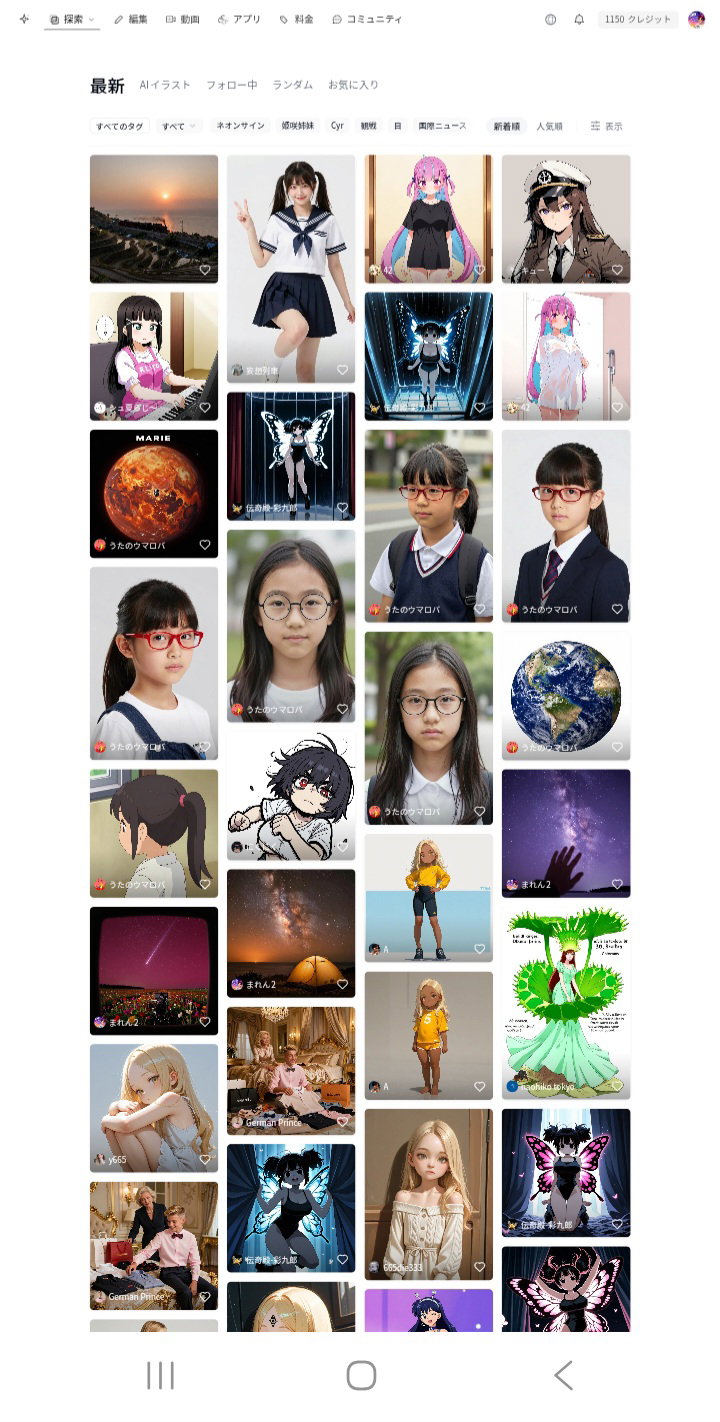
It might just be me, but while I used to be able to view everything at a size that was just right for my smartphone, the screen width of this site has become wider. For example, gallery images used to be in 2 columns, but now they are in 4 columns. The image generation page and the community have all become wider as well.
I can still zoom, so it's not particularly inconvenient, but the previous size was a better fit and easier to use...
If this is a bug, please fix it. 🙂‍↕️

1

8 replies

S
SNoW·

If you don't mind, could you send me a screenshot? I use it on my phone too, but I've never had that happen to me before... I'd love to see what it looks like.

まれん2OP·

image

image

S
SNoW·

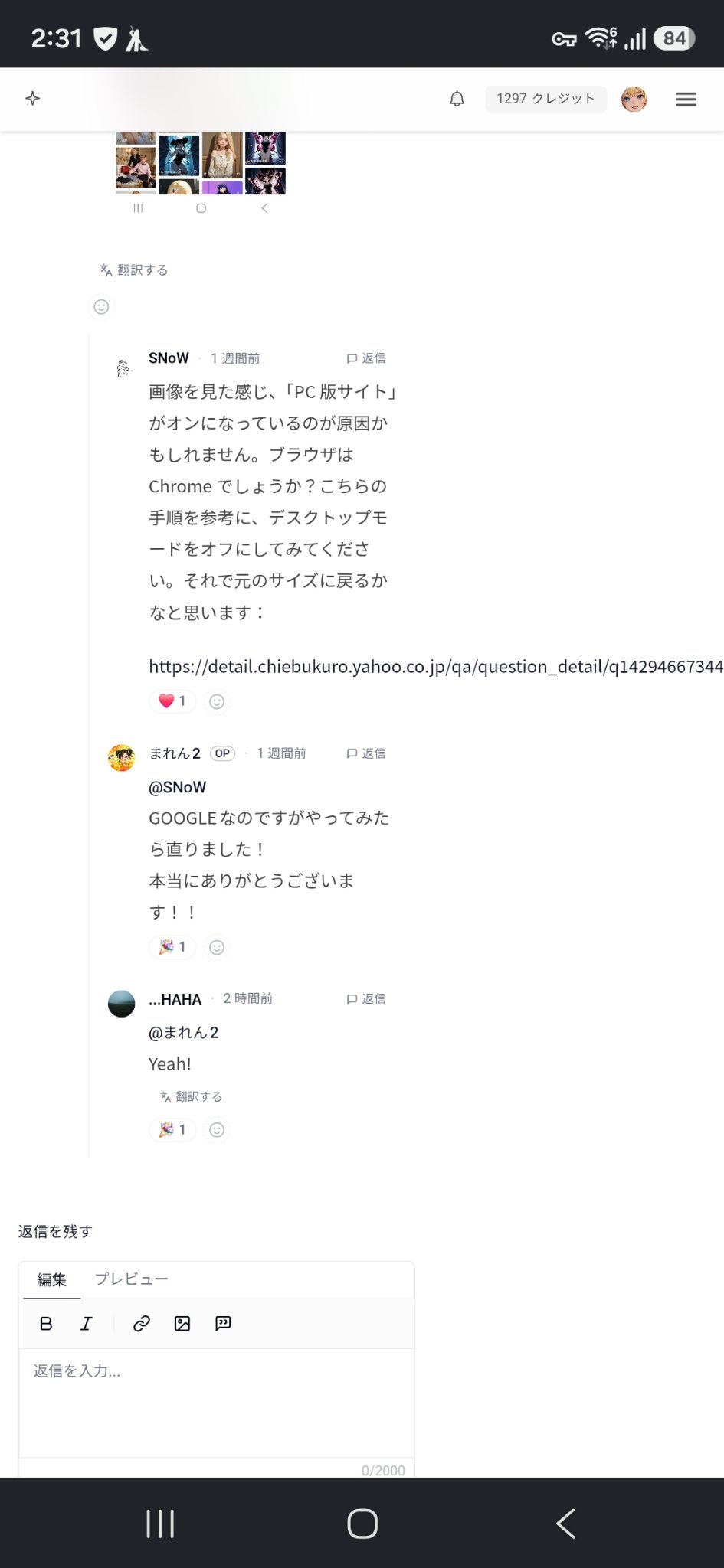
Looking at the image, it seems the cause might be that "Desktop site" is turned on. Is your browser Chrome? Please try turning off desktop mode by following these steps. I think that should restore it to its original size:

https://detail.chiebukuro.yahoo.co.jp/qa/question_detail/q14294667344

まれん2OP·
@SNoW

It was Google, but I tried it and it's fixed! Thank you so much!!

W
Weirdcore·

image
It hasn't been fixed 😞🌀 When you open this screen on a smartphone, pinch in and pinch out, "Lo and behold! The screen got so tiny~" 😞🌀 It hasn't changed since the early days of this site. It's now in a state where there is no way to describe it other than as a "feature."

W
Weirdcore·

oh no...

N
nazo-man·

image
Sorry to jump in.
Like this, when a link doesn't wrap and just stretches out horizontally, the page width ends up stretching to match it.
This happens on quite a few sites, is it due to CSS or something? I just thought it was by design, so I never really minded it.
If toggling the desktop version ON and then OFF fixes it when it gets too small, I guess that's good enough for me lol

Leave a reply

Join the community to share your thoughts and ideas.

Sign in to join the discussion