Back to Discussions
Chat

Depending on the aspect ratio

やまびこ/yamabico
Translated to English·

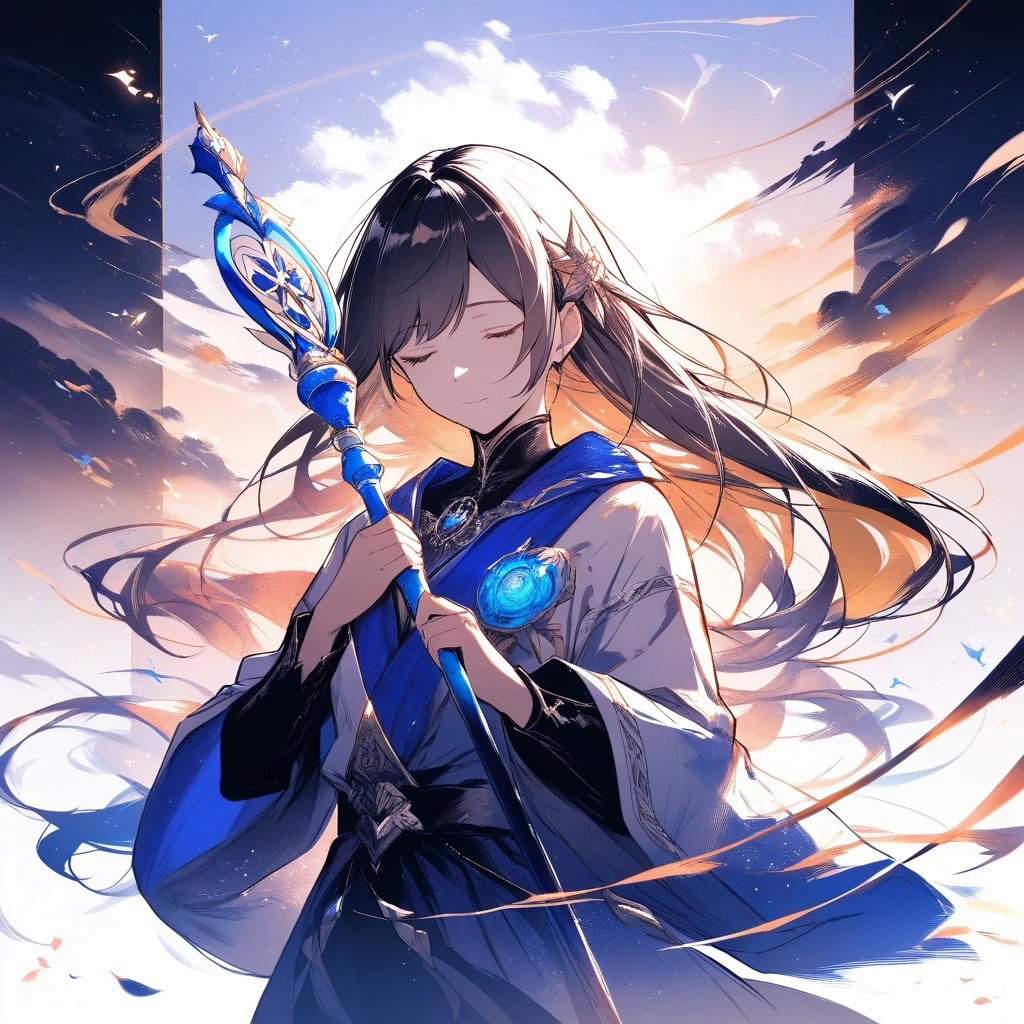
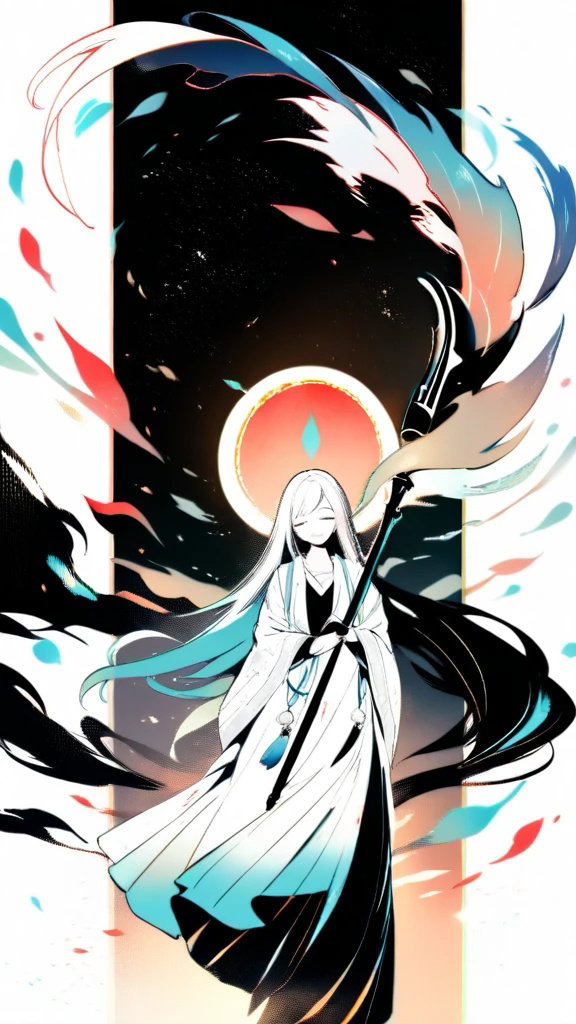
I think the image quality changes quite a bit depending on the aspect ratio, and you can see this much difference in quality with the same prompt between 1:1 and 9:16.
image

image

It seems like 1:1 is the max, and the quality drops the more extreme the rectangular aspect ratio gets. (That's why I end up generating everything in 1:1.)
Thinking about it from a layman's perspective, I wonder if it's because the total number of additional pixels being generated is lower? Since the current process reduces the pixel count by cropping when moving from 1024x1024 at 1:1 to a rectangular shape, I'm wondering if that's the cause.
Is that something that happens?

5 replies

たぬー·

I think I get it. But since the poses you can take change too, I do a lot of vertical ones.

やまびこ/yamabicoOP·

Yeah, that's exactly it. Sometimes I'll export at 1:1 and then crop it to a vertical format, but I feel like each aspect ratio really has its own optimal composition, so it's quite a dilemma. 🙂‍↕️ It's definitely one of those things where I’d be really happy if it just worked out somehow while I’m using it.

S
SNoW·

As you say, the 1K resolution setting ensures the long side does not exceed 1024 pixels, so for non-square images, the other side ends up being shorter than 1024 pixels, resulting in a total pixel count lower than a 1:1 ratio. I would like to improve this, but it will take a little more time to address.

やまびこ/yamabicoOP·

Thank you for your reply!
I know there are various factors involved, so I'll be waiting patiently, just hoping for improvements if it's possible.

あいもち·

Whoa! That's amazing! I'll definitely use that for reference!

Leave a reply

Join the community to share your thoughts and ideas.

Sign in to join the discussion