Website Updates
Important changes and new features
GPT Image 2 Now Available
OpenAI's latest image model, GPT Image 2, has been integrated. Notable improvements over the previous generation in text rendering and complex composition.
- 99% text accuracy — Supports non-Latin scripts including Chinese, Japanese, Korean, Hindi, and Bengali
- Thinking mode — Plans layout before drawing, improving accuracy on infographics and comic panels
- Multi-image consistency — Same character and style stay stable across multiple images
Image Edit Is Here
Upload a photo, describe what you want changed, and let AI handle the rest. Remove backgrounds, transfer styles, erase objects, expand the canvas, or enhance quality.
- Free and Pro modes available — Pro costs 1 Credit per edit
- Edit history is saved automatically so you can revisit any version
- Side-by-side before/after comparison
Fast Mode Now Available
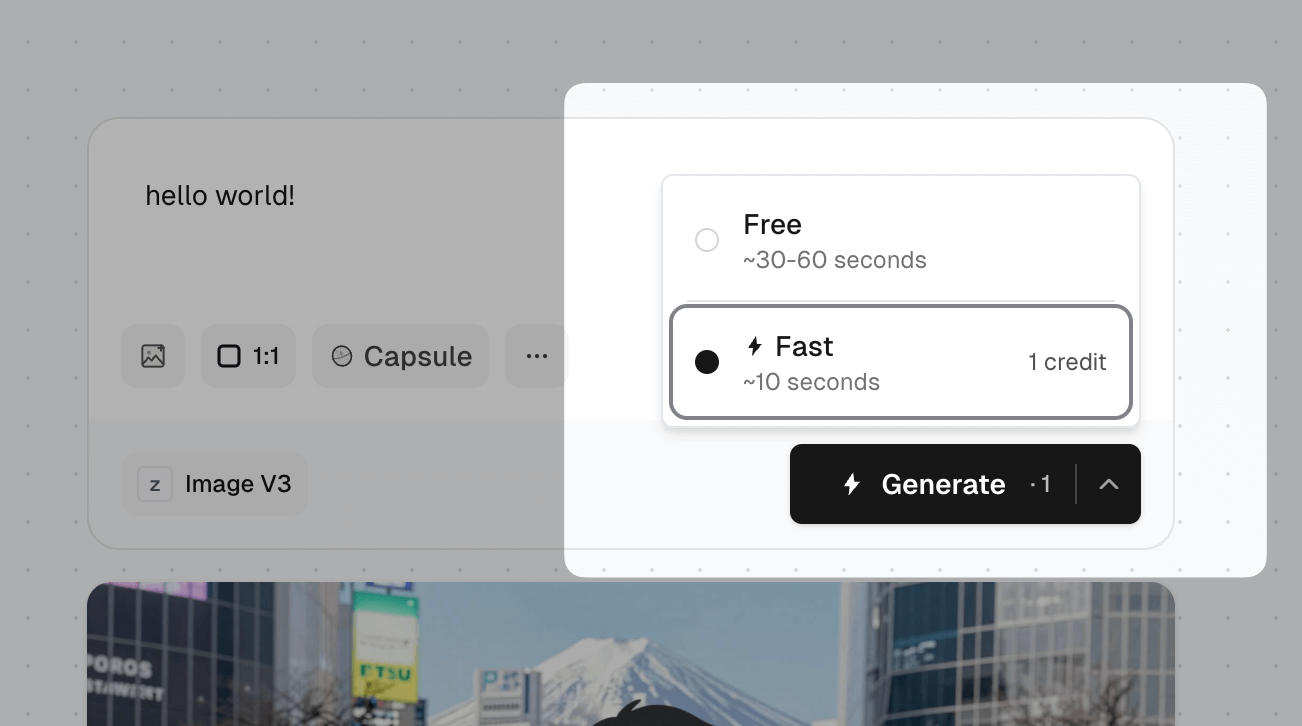
Fast mode is now available for Image V3 and Anim4gine models. In most cases, results are returned in about 5 seconds, significantly improving your creative experience during peak hours.
- Fast mode requires login and costs 1 Credit per generation
- Currently, logged-in users can claim 40 free Credits daily
- Paid Credit purchases will be available in the future
Click the dropdown arrow next to the Generate button to enable Fast mode:
Output Format Option Removed
The output format option has been removed from the generation form. All images are now transferred in WebP format. You can still choose between WebP, PNG, or JPG when downloading.
Prompt Capsules — Condense creative prompts into capsules for instant inspiration
Introducing a brand-new prompt template system! Package your creative prompts into "capsules" and share them with the community — anyone can get inspired with just one click.
- Capsule Selector — Browse and use community-crafted prompt capsules
- Capsule Workshop — Build your own prompt templates with variable blocks (text input, select, random, slider)
- One-click Share — Publish your crafted capsules to the community
- Instant Generation — Pick a capsule, tweak the parameters, generate images instantly
Add Tags to Gallery Images
Logged-in users can now add tags directly to gallery images — no need to submit feedback requests. Tags take effect immediately.
Reference Image Improvements
- Added cropping support for reference images
- Fixed output size not matching selected dimensions when using reference images
Download Format Selection
When downloading images, you can now choose between different formats: WebP, PNG, or JPG. This is independent of the Output Format setting — Output Format determines the format used when transferring images from our server to your device.
Like Notification Privacy Update
To protect user privacy, like notifications no longer display who liked your image — only the total like count is shown.
Like Notifications & Gallery Improvements
New features to enhance your gallery experience:
- Receive notifications when your published images get likes (login required, can be disabled in settings)
- Gallery filter: view only images from registered users
- Fixed image format selector — now supports WebP and JPG. WebP is recommended for near-lossless PNG quality at ~1/10 the file size
Photorealism Model Discontinued
The Photorealism model has been discontinued. For similar realistic styles, try the new Image v3 model — it offers better prompt adherence and more natural photorealistic results.
Resolution Selector
Image v3 & v2 now support resolution selection:
- Default: 768px - Balanced quality and speed
- Optional: 1024px - Higher resolution output